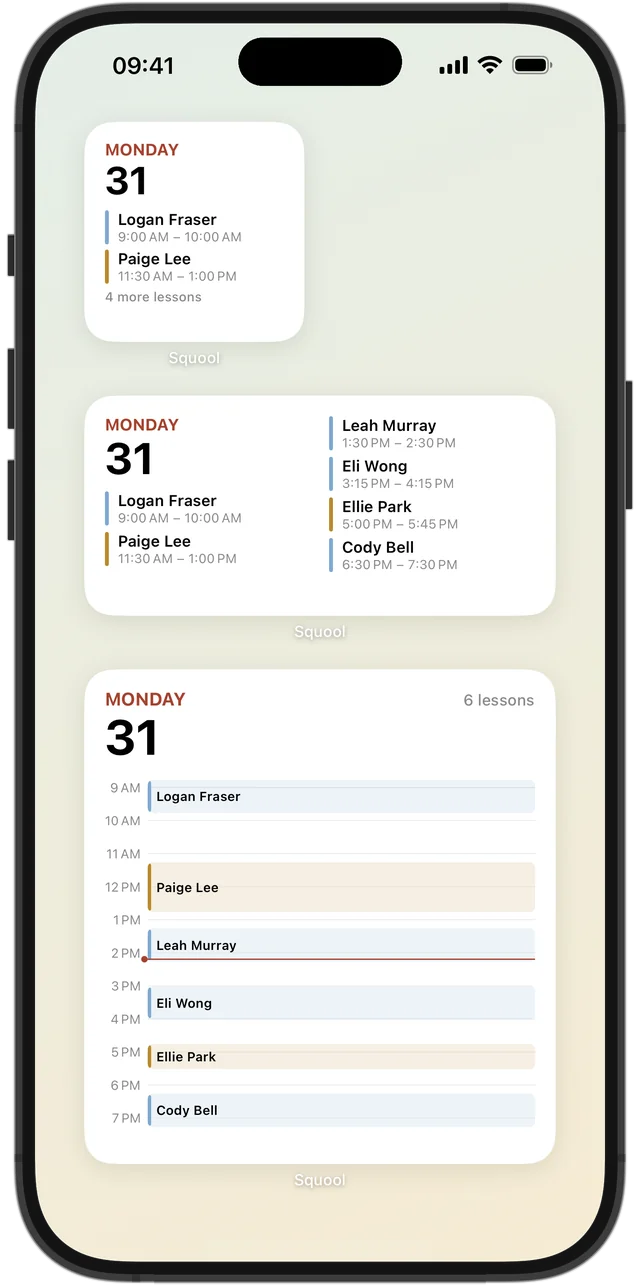
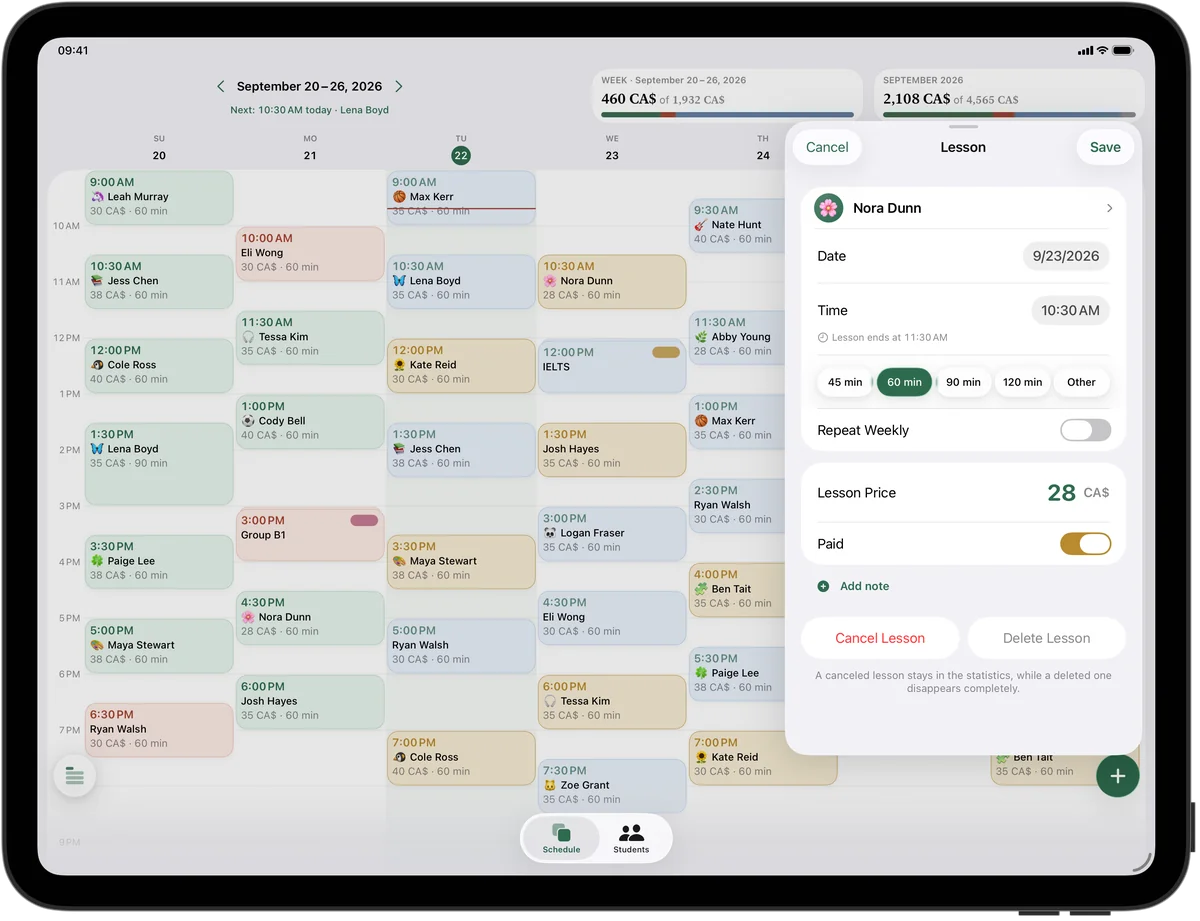
Quick enough to use on your prep period
Adding a lesson takes a few seconds: tap a free hour in the week grid, pick the student, save. Regular students get “Repeat Weekly” once and then appear every week on their own.
Home Screen widgets show your next lessons at a glance, and a reminder arrives before each one with the student's name and time. On Apple Watch you can see who's next while you walk out to the parking lot.
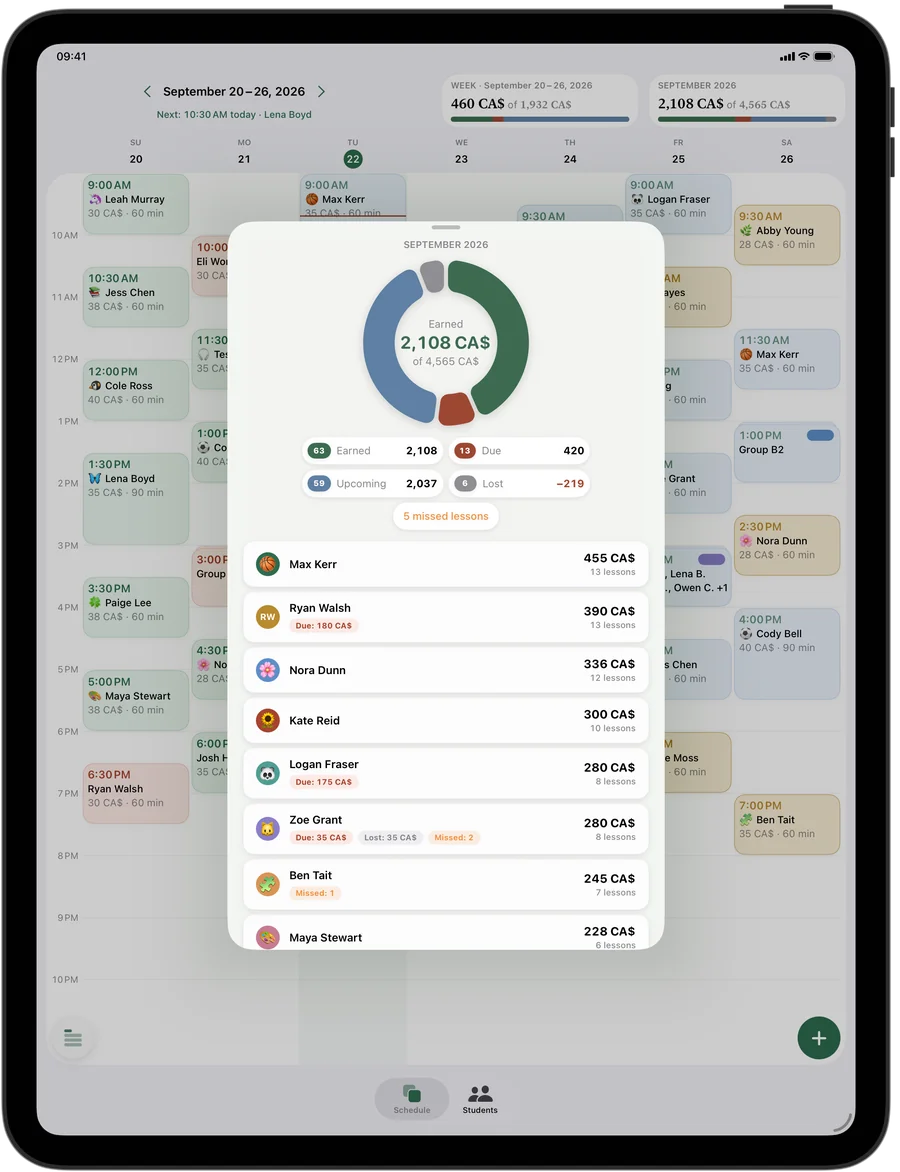
Know what tutoring adds to your salary
Squool's month ring splits your private-lesson income into earned, due, upcoming and lost. Tap a student to see what they paid and what they still owe. Compare one month with the next and you'll know whether the extra evenings are worth it — useful at tax time too, even though Squool itself isn't accounting software.
Each student has a balance: when a parent pays for several lessons at once, add it with “Add Funds” and the lessons are paid automatically, oldest first.
Try it free for 14 days · No card required. Subscribe only once the app has proven it's worth it to you.
Download on the App Store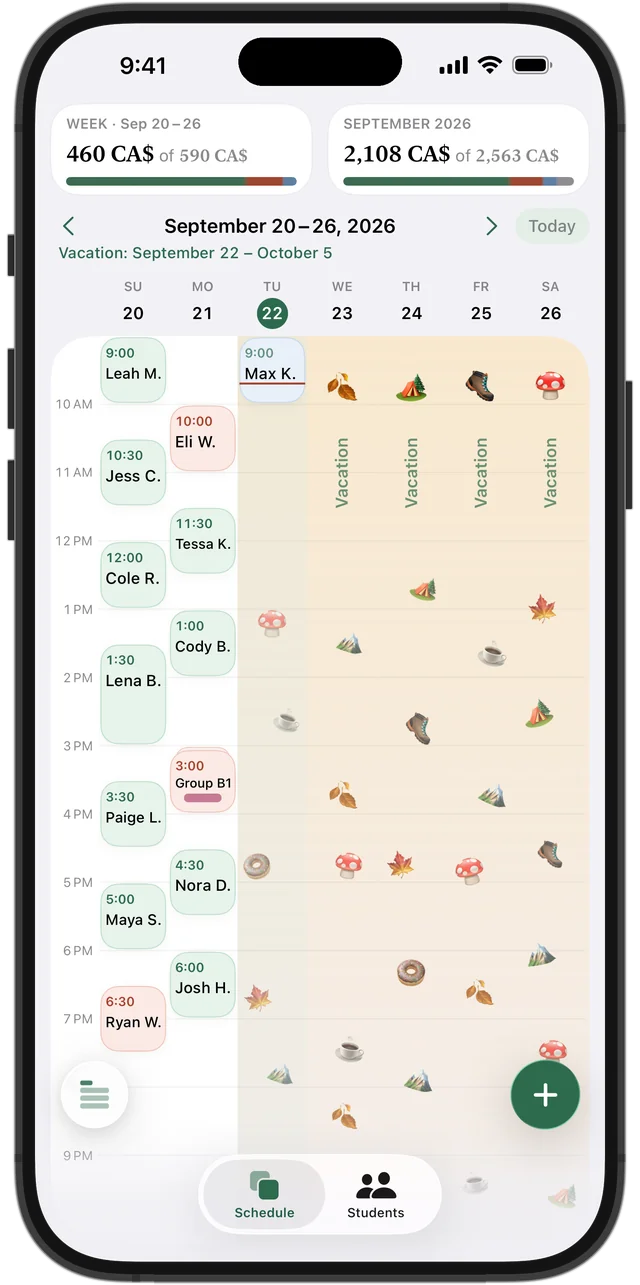
Your school calendar, built in
Winter break, March Break, the summer off: set a vacation for those dates and every lesson in them is cleared from your schedule automatically. A student who stops during exam season can be paused on their own. Money paid in advance isn't lost — it goes toward the lessons after the break.
When a family changes its after-school plans in September, change the time for “This & Future” lessons in one step.
For private lessons, not for your classes
Squool isn't a gradebook or a school information system. There are no marks, class lists, attendance registers or parent portal, and it doesn't connect to your board's systems. It's a personal tool for the private tutoring you do on your own, and it stays separate from your school work.
If you tutor a small group of students from different schools, a group lesson lets each of them have their own price, with payments and missed lessons tracked separately.
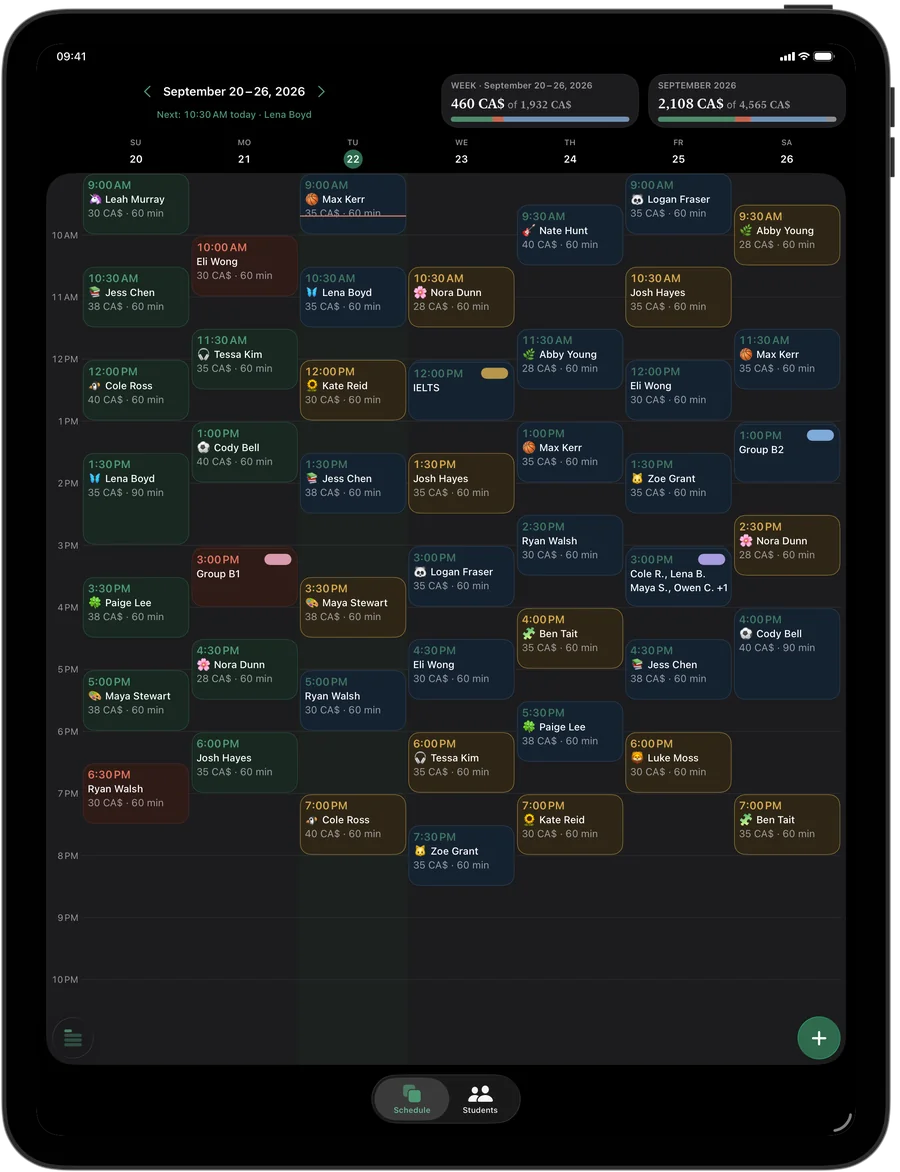
Evenings on the couch
Planning next week usually happens late. Squool has a calm dark theme, and the iPad and Mac versions show the whole week with full names and amounts on one screen. Everything syncs between iPhone, iPad and Mac through your own iCloud — no account, no password.
Private, and free for 14 days
Your students' names, schedules and payments are stored on your device and in your personal iCloud; the developer can't see them. If your private lessons already live in Google Calendar, Squool can import the students and recurring lessons. Try it with full access for 14 days, no credit card needed.
Questions and answers
Is there an app for teachers to track private tutoring income?
Yes. Squool shows what your private lessons earned this month, what's still due and what was lost to cancellations, on iPhone, iPad, Mac and Apple Watch.
Can I use Squool for my school classes?
It isn't made for that. Squool has no gradebook, class lists or attendance registers; it's for private lessons you give on your own.
Will Squool prepare my tax return for tutoring income?
No. Squool shows your tutoring income month by month, but it isn't accounting software and doesn't produce tax forms.
Do I need to create an account?
No. Squool uses your own iCloud to sync between your devices, with no sign-in or password.
Can I take the summer off without deleting students?
Yes. Set a vacation for July and August and the lessons are cleared automatically; prepaid money stays on students' balances for September.
Read also
Vacation & pause
What to do with weekly lessons and prepaid money over March Break, summer or a student's break: a simple policy and how to pause lessons, not delete them.
Tutoring income
How a private tutor in Canada can see real monthly income: what's earned, what's still due, what's planned and what cancellations cost. A method and an app.
Math & science tutors
For math, physics, chemistry, provincial exam and SAT tutors: weekly schedule, student balances, payments and income on iPhone, iPad and Mac.
Spreadsheet or app
An honest comparison for tutors: when a notebook, Excel or a Google Sheets tracker is enough, which columns it needs, and when a tutoring app saves time.
Try it free for 14 days
No card required. Subscribe only once the app has proven it's worth it to you.
Download on the App Store