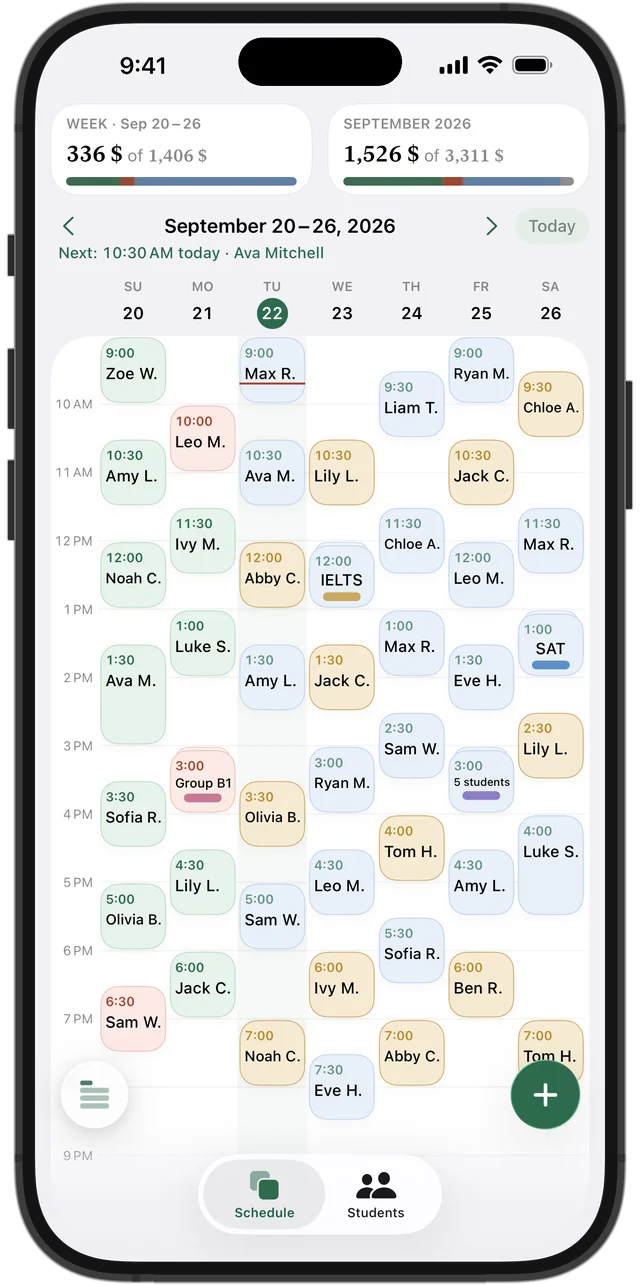
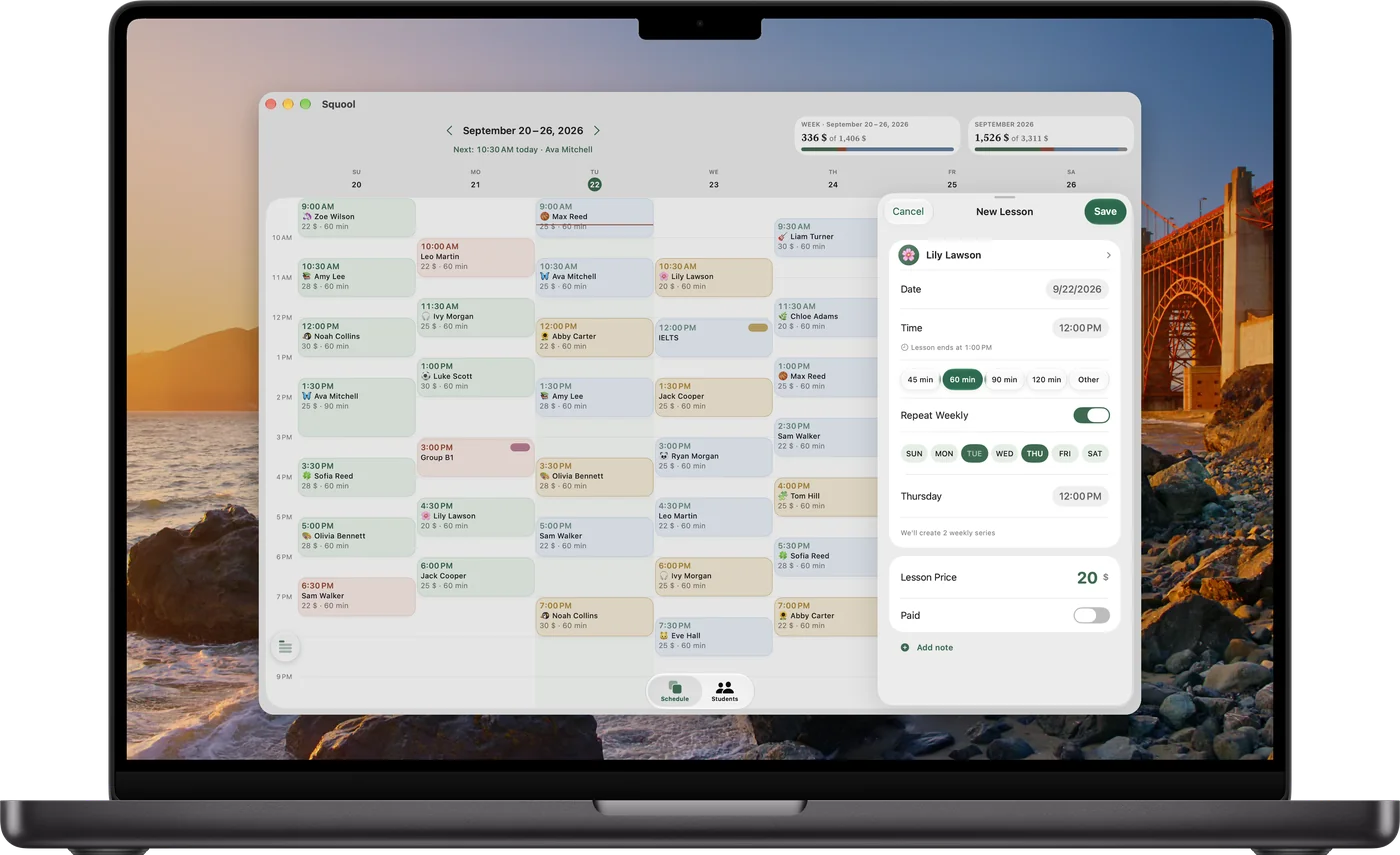
Twenty-five weekly slots, set up once
Private music lessons are almost always weekly, so you add each student once and turn on “Repeat Weekly”. A student who comes twice a week can have two days in one series, each with its own time. Lesson length has presets for 45, 60, 90 and 120 minutes, and “Other” for anything else, such as a 30-minute lesson for a six-year-old beginner.
Got a trial lesson for a new family? Tap a free hour in the grid and add it in a few seconds.
Monthly payments from parents
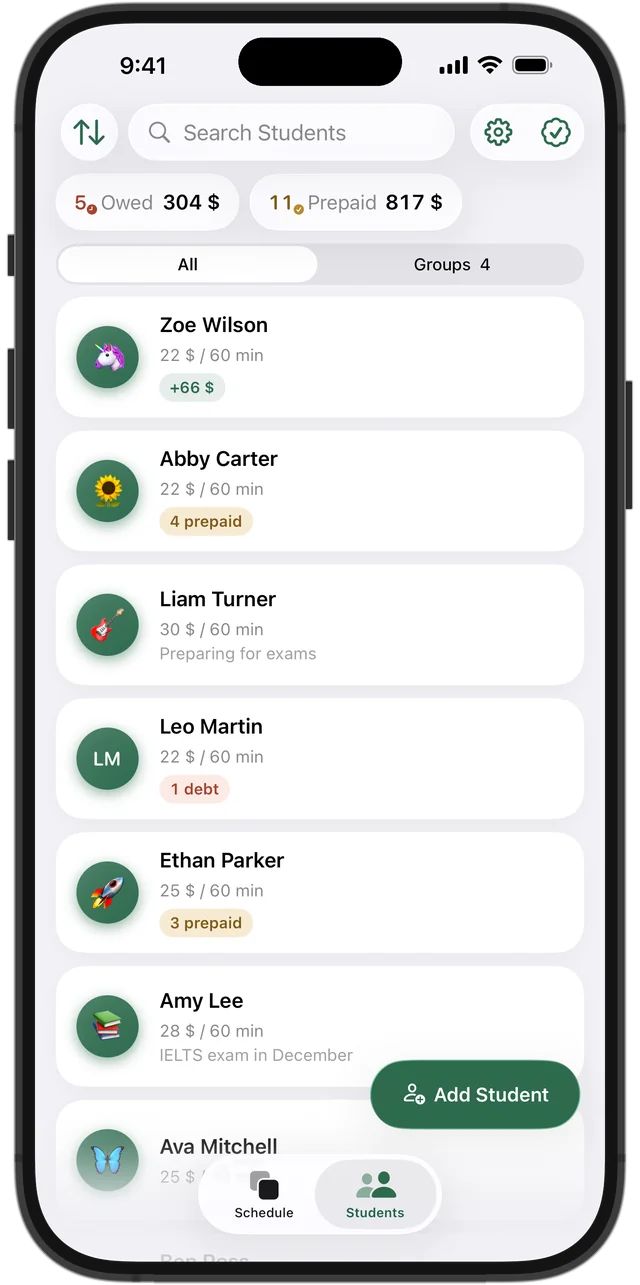
Squool counts money per lesson: every student has a price per lesson and a balance. When a parent pays for the month, tap “Add Funds” on that student, and the lessons are paid one by one as they come, oldest first. If the payment covers more lessons than the month had, the rest stays as prepaid and moves on to the next month.
Siblings are simply two students, each with their own price and balance. Cash handed over at the door for one lesson? Open the lesson and mark it as paid. The top of the student list always shows who owes you and how much, so you know whom to remind before the next lesson.
Try it free for 14 days · No card required. Subscribe only once the app has proven it's worth it to you.
Download on the App Store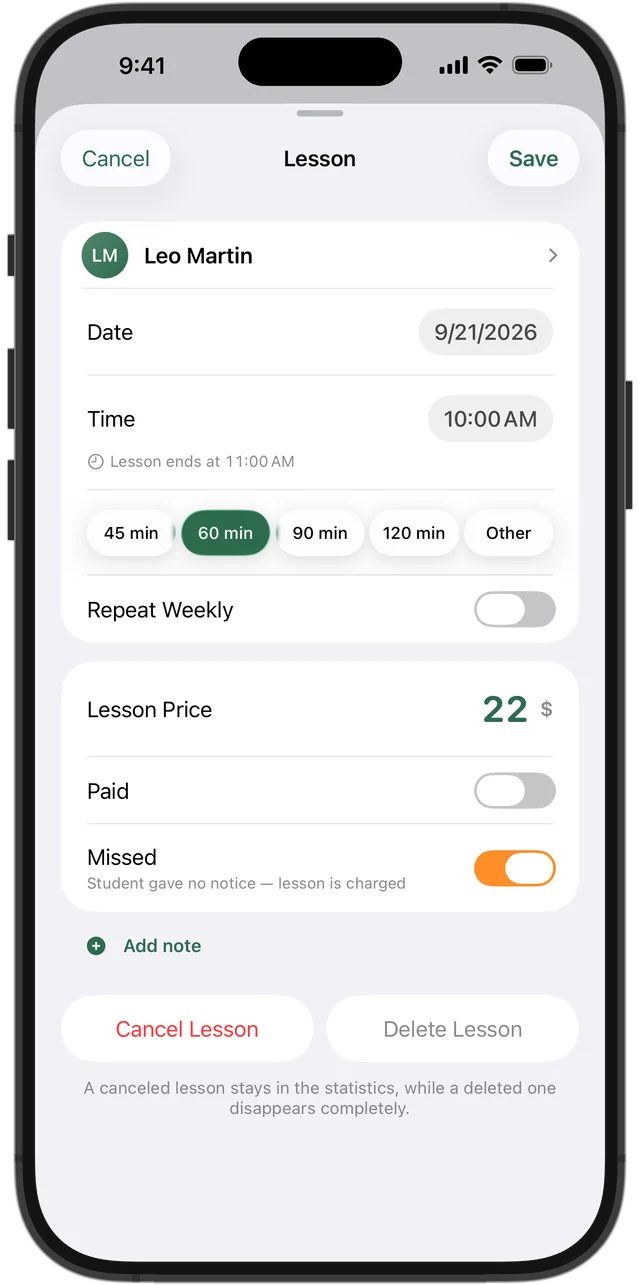
Missed lessons and make-ups
Squool separates two situations that every studio policy deals with. A missed lesson means the student didn't come and didn't warn you — the lesson is charged. A cancelled lesson isn't charged: if it was prepaid, the money goes back to the balance and pays for the make-up or the next lesson.
Cancelled lessons show up in your statistics as lost income, so at the end of the month you can see what cancellations actually cost you. What counts as a valid cancellation is your policy; Squool just keeps the numbers straight.
Summer break and students who take a pause
Going away for two weeks in August? Set a vacation, and every lesson in those dates disappears from the schedule automatically. If one student pauses for a month, set a pause for just that student. Prepaid money isn't lost in either case — it goes toward the lessons after the break.
When a student stops lessons for good, archive them: their history stays, and any money paid ahead returns to their balance.
Praise that kids actually notice
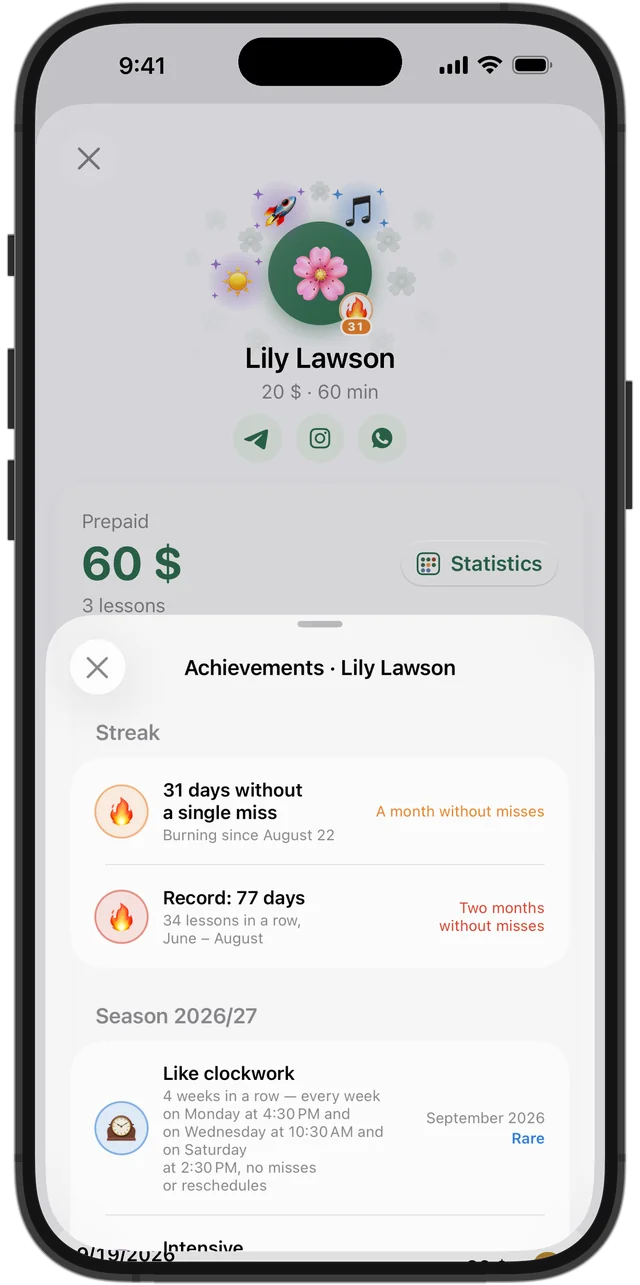
Squool gives students achievements on its own. “Like clockwork” appears when a student comes on the same day and time for a month, “Every week” when they haven't skipped a week, and a 🔥 streak lights up next to the avatar once they go a month without missing. It's an easy way to see your most dedicated pupils and to have something specific to praise them for at the next lesson.
At the piano, on the wrist and at your desk
Apple Watch shows which lesson is on now and who's next, and you can mark a miss or cancel a lesson without leaving the instrument. Home Screen widgets list your next lessons, and a reminder arrives before each one. At your desk, the Mac version shows the whole week and the month's earnings in a wide window.
Everything syncs through your own iCloud between iPhone, iPad and Mac. Your students' data stays on your devices and in your iCloud, not with the developer. Try it free for 14 days, no card needed.
Questions and answers
What's a good app for piano teachers to track lessons and payments?
If you teach on your own and use an iPhone, iPad or Mac, Squool covers the weekly schedule, each student's balance, missed lessons and monthly earnings. The first 14 days are free, no card required.
Can I charge a monthly fee instead of per lesson?
Squool counts money per lesson. If parents pay monthly, add the payment to the student's balance; it pays for lessons one by one, and anything left over carries into the next month.
Does Squool send invoices or payment reminders to parents?
No. There are no invoices, no parent portal and no online payments. Reminders before lessons go only to you, and the list of who owes you is always at the top of the students screen.
How does Squool handle a missed lesson versus a make-up lesson?
A missed lesson (no warning) is charged. A cancelled lesson isn't, and prepaid money returns to the balance to cover the make-up or the next lesson.
Can a music school with several teachers use Squool?
No. Squool is built for one teacher working alone, without shared accounts for several teachers.
Can I use it on an iPad on the music stand?
Yes. Squool runs on iPad, iPhone and Mac with the same data, plus Apple Watch for what's now and next.
Read also
Missed & cancelled
How to write a fair no-show and late cancellation policy for private lessons, when to charge for a missed lesson, and how to track income lost to cancellations.
Tracking payments
A simple way to track tutoring payments: one balance per student, prepaid lessons, who owes you and how much. Works on paper, in a sheet or in an app.
Kids' tutors
Early learning, reading and kindergarten-prep tutors: short sessions, parent payments, sick-day cancellations and each child's month on iPhone, iPad and Mac.
Art & dance teachers
Drawing, painting, ballet, dance and acting teachers: weekly classes, groups with individual prices, student payments and income on iPhone, iPad and Mac.
Try it free for 14 days
No card required. Subscribe only once the app has proven it's worth it to you.
Download on the App Store