Rule one: each student has one currency
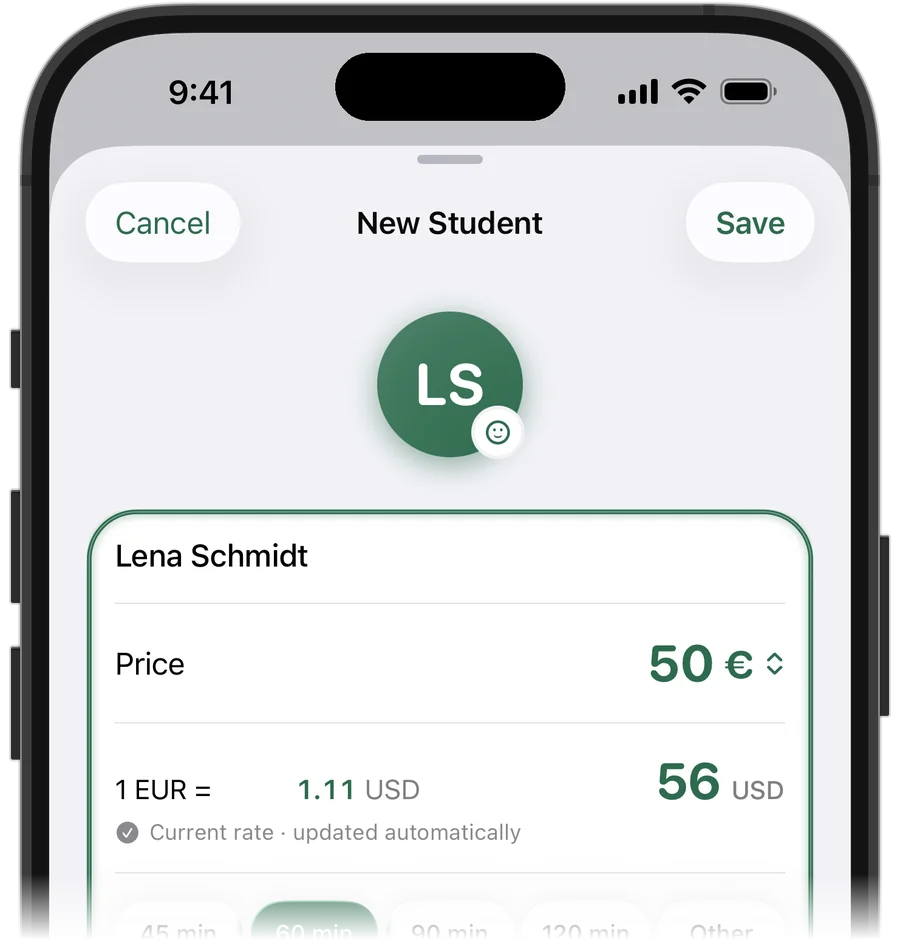
Agree on a currency with each student and keep their price, payments and balance in it. If a student pays 40 USD per lesson, their balance is in dollars, full stop — converting every payment to your currency is how small rounding errors turn into arguments.
If a student ever switches currency, treat it as a fresh start: settle the old balance first, then continue in the new currency.
Rule two: totals in one base currency
To know your monthly income you need one number, so pick a base currency — usually the one you pay rent in. Convert each student's amounts at an exchange rate you decide on and write down that rate.
Use a fixed or monthly rate rather than the rate on the day of each payment. Your totals become an estimate, but a stable one, and you can always explain how they were calculated.
- Student's price and balance: in their currency
- Your monthly totals: in your base currency
- Exchange rate: written down, changed on purpose, not daily
Try it free for 14 days · No card required. Subscribe only once the app has proven it's worth it to you.
Download on the App Store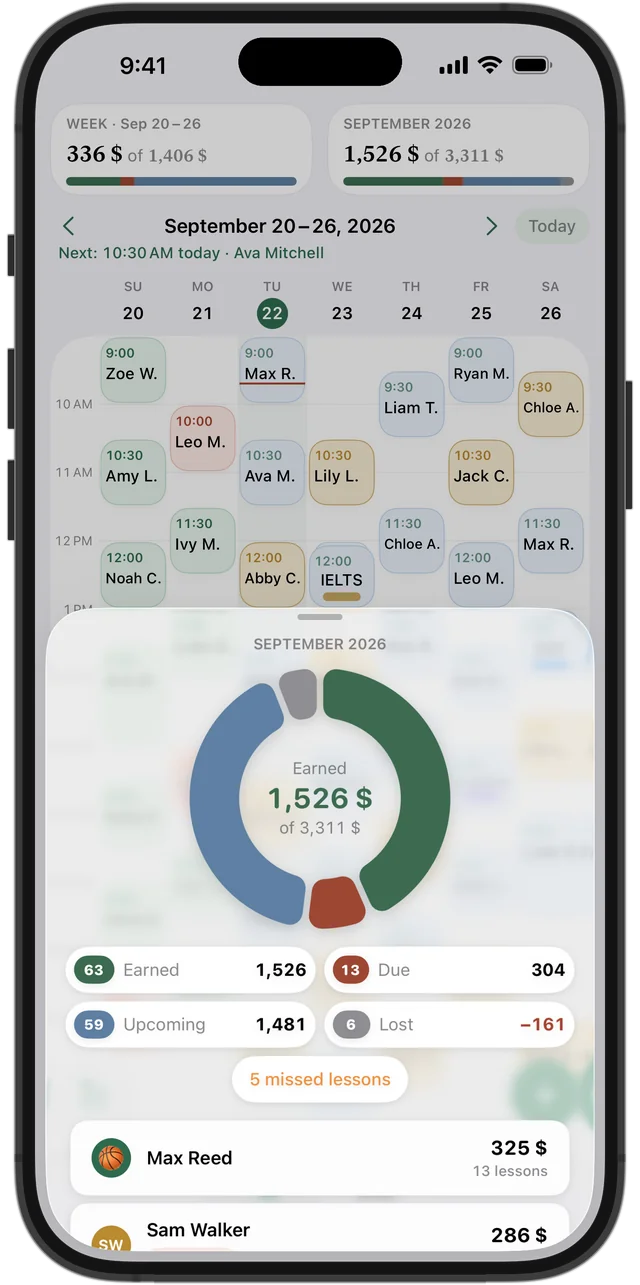
How Squool handles it
Each student in Squool can have their own currency. Their price, balance, lessons and payments stay in that currency — a student paying in euros sees a euro balance. Your weekly and monthly statistics are shown in one main currency that you choose in Settings.
When you pick a different currency for a student, Squool suggests an exchange rate to your main currency, and you can change it. The student's currency is locked after the first entry; a new rate applies to future lessons, and past amounts keep the rate they were saved with.
Supported currencies
Squool supports the US dollar, euro, British pound, Canadian dollar, Polish złoty, Czech koruna, Swiss franc, Ukrainian hryvnia, Georgian lari, Kazakh tenge, Mexican peso and Colombian peso. The app itself is available in English, Spanish, French, German, Polish, Ukrainian and Russian.
What it does not do
Squool does not take payments or convert money: it records what your students paid you, by any method. It is also not a time-zone planner — lessons are shown in your schedule's time. For international online lessons, agree the time in the student's message and enter it in your schedule.
Squool runs on iPhone, iPad and Mac, syncs through your own iCloud and keeps your data on your device. 14 days free, no card required.
Questions and answers
How do I track tutoring income in two currencies?
Keep each student's balance in their own currency and convert to one base currency only for your totals, at an exchange rate you write down.
Can different students pay in different currencies in Squool?
Yes. Each student can have their own currency, and statistics are shown in one main currency at an exchange rate you can edit.
Does Squool update exchange rates?
It suggests a rate when you set a student's currency, and you can always enter your own. A changed rate applies to future lessons.
Can Squool accept payments in dollars or euros?
No. Squool records payments you received; it does not process or convert money.
Can I change a student's currency later?
No. A student's currency is locked after the first entry, so balances stay exact. For a new currency, start a new student record.
Read also
Tutor income
How a private tutor can see real monthly income: what is earned, what is still due, what is planned and what cancellations cost. A simple method and an app.
Tracking payments
A simple way to track tutoring payments: one balance per student, prepaid lessons, who owes you and how much. Works on paper, in a sheet or in an app.
Online tutors
Teach over Zoom or Google Meet? Track your schedule, students abroad paying in USD, EUR or GBP, and monthly income on iPhone, iPad and Mac.
Language tutors
Schedule, student balances and payments for ESL, Spanish, French and German tutors on iPhone, iPad and Mac. Group classes, other currencies.
Try it free for 14 days
No card required. Subscribe only once the app has proven it's worth it to you.
Download on the App Store